
Contract Management Software
Users, Roles & Access Management
Manage your entire team with Propertese's comprehensive user management system. Create and edit users while assigning specific roles and permissions including Admin, Property Manager, Owner, Tenant, and Leasing Agent.
Trusted by Leading Property Companies Worldwide



Propertese Go-to choice of Professionals
Trusted By Property Owners Across Multiple Markets
Delivering Superior Tenant Satisfaction
Processed Through Automated Systems
Complete user management in one platform
Propertese provides comprehensive user and access management from team setup to permission control. Create users with specific roles, define company-based access, and manage multi-subsidiary permissions with advanced KYC processes for tenant approval and lease activation.
Flexible role-based permissions
Sophisticated access control with Admin, Property Manager, Owner, Tenant, and Leasing Agent roles for secure operations.
Advanced tenant verification
KYC process with mandatory document uploads for tenant approval and lease activation with advance package features.
Multi-company access control
Company and subsidiary-based user definitions with cross-organizational access management for complex business structures.

Your Security Controls. Unified Inside NetSuite.
Propertese integrates role-based permissions directly within NetSuite, ensuring teams see only what they need while maintaining complete audit trails across property operations.
Secure your data with precision control
- Role-based access aligned with NetSuite security model
- Property and portfolio-level permission controls
- Zero security gaps between systems
- Complete audit trails for compliance and accountability
One ERP. One platform. Full control of your real estate business.

Benefits of choosing complete user management software
Manage users efficiently
Create and edit users with specific role assignments including Admin, Property Manager, Owner, Tenant, and Leasing Agent roles for comprehensive team management.
Control access systematically
Define users based on company or subsidiary while providing user access on multiple companies and subsidiaries with flexible organizational management.
Secure data access
Implement roles and permissions to allow users access to various features and view only data related to their particular company with comprehensive security control.
Streamline tenant approval
Upload mandatory documents through KYC process to mark tenants as approved before activating lease with advanced verification workflows.

Key features of Propertese
- Users, Roles & Access Management
The Propertese real estate transaction management software gives your team a single place to manage tenants, contracts, leases, and transactions, from tenant onboarding to contract termination.
User Creation & Role Management
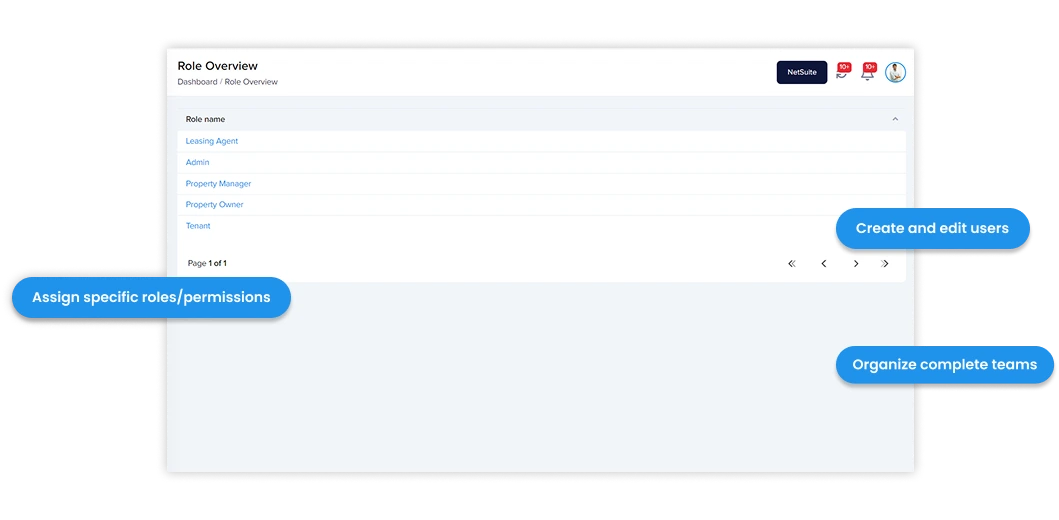
Create and edit users with comprehensive user management capabilities. Assign specific roles and permissions including Admin, Property Manager, Owner, Tenant, and Leasing Agent for complete team organization.
- Create and edit users with comprehensive management
- Assign Admin role with full system access
- Assign Property Manager role with operational permissions
- Assign Owner role with property-specific access
- Assign Tenant role with limited access permissions
- Assign Leasing Agent role with lease-specific capabilities
Company & Subsidiary Management
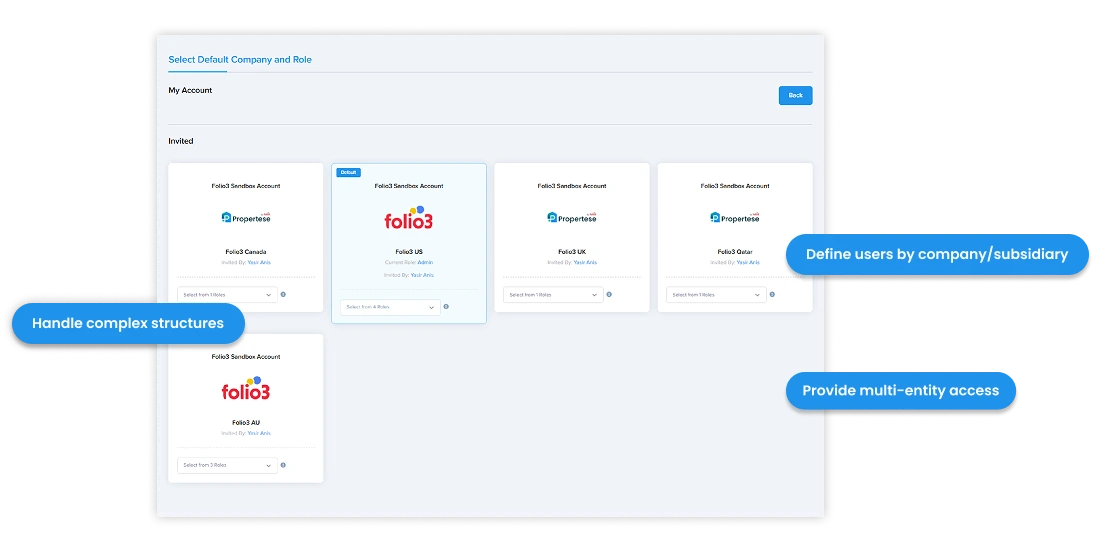
Define users based on company or subsidiary with flexible organizational structure management. Provide user access on multiple companies and subsidiaries for complex business operations.
- Define users based on company/subsidiary
- User access can be provided on multiple companies/subsidiaries
- Manage complex organizational structures
- Handle multi-entity business operations
KYC Process & Tenant Verification
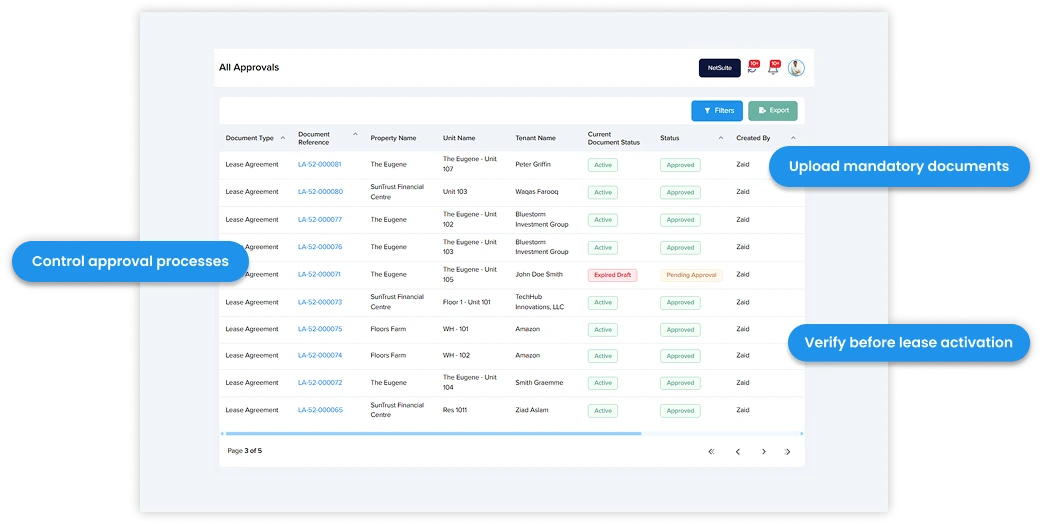
Upload mandatory documents to mark tenants as approved before lease activation with comprehensive KYC process and tenant verification workflows.
- KYC Process – Upload mandatory documents to mark tenants as approved before activating the lease (Advance Package)
- Advanced tenant verification workflows
- Document-based approval processes
- Lease activation control through verification
Manage your users and access better with Propertese
Whether you’re managing commercial properties, retail centers, or HOA communities, Propertese brings everything you need for CAM management into one clean, organized workspace.
Read Our Success Stories

Adapted to UK-specific billing requirements with flexible rent adjustments, step increases, and utility tracking across commercial properties

Simplified lease management with custom applications, flexible templates, and projection capabilities across multiple properties and subsidiaries

Integrated property management solution for tenancy operations, CAM charges, and rental workflows across multiple subsidiaries

Streamlined property and facility management integrating CRM, leasing, and finance on a unified NetSuite platform
How to set up comprehensive user management software
Setting up Propertese’s user management system is straightforward:
Create users and assign specific roles including Admin, Property Manager, Owner, Tenant, and Leasing Agent
Set up role-based permissions and data access controls
Set up automated alerts, approval workflows, and document templates
Start managing your lease contracts with the Propertese platform
People Also Ask.
What is Propertese’s users, roles, and access management system?
It’s a comprehensive platform for managing your entire team within Propertese. You can create users, assign specific roles (Admin, Property Manager, Owner, Tenant, Leasing Agent), control permissions, and manage access across companies and subsidiaries, all integrated with NetSuite.
What are the main benefits of using Propertese for user management?
Efficient team management, systematic access control, secure data handling, streamlined tenant approvals, and support for complex organizational structures.
What roles can I assign in Propertese?
You can assign the following roles:
- Admin (full system access)
- Property Manager (operational permissions)
- Owner (property-specific access)
- Tenant (limited access)
- Leasing Agent (lease-specific capabilities)
How do role-based permissions work?
Each role has predefined permissions that control what users can see and do within the platform.
How do I create and manage users?
You can create and edit users centrally, assign them roles, and define their access based on company or subsidiary affiliation.
Can a user belong to multiple companies or subsidiaries?
Yes. Propertese allows you to provide user access across multiple companies and subsidiaries, ideal for complex business structures.
What is the KYC process for tenants?
Tenants must upload mandatory documents to be marked as “approved” before lease activation. This is part of the Advanced Package for tenant verification.
Why is tenant verification important?
It ensures secure and compliant tenant onboarding, reduces risk, and controls lease activation based on verified documentation.
Contact Us
Have Questions? Get in Touch!