How to Manage Multi-Entity Property Portfolios: A Complete Guide
Key Takeaways
- Multi-entity property management means running separate legal entities for each property while producing one clear financial view of the whole portfolio.
- Consolidated reporting is where most multi-entity finance teams lose the most time, because assembling it manually from separate systems at ten or more entities takes days and introduces errors at every step.
- Getting the entity structure, chart of accounts, and intercompany policy right early saves the finance team from rebuilding them later when the portfolio is bigger, and the cost is higher.
- A purpose-built platform handles intercompany eliminations and consolidated reporting automatically, so the finance team reviews results rather than builds them.
- Most real estate groups struggling with multi-entity management are using software built for one entity and stretched to cover ten, which is where the operational breakdown happens.
In 2008, the Lehman Brothers collapse revealed something most people outside real estate did not know. Major property funds routinely hold assets through hundreds of separate legal entities, each serving a specific purpose: a lender requirement, a tax structure, or a mechanism to protect one asset from the liabilities of another.
That level of complexity is extreme, but the underlying dynamic is common. A real estate group acquires five properties, structures each in its own LLC, and then discovers at quarter-end that producing a consolidated income statement means pulling five separate sets of books into a spreadsheet that one person on the finance team manages, and nobody else fully understands.
The concept behind multi-entity property management is simple in theory. Each entity runs its own finances. The group needs to see them all together. The complexity comes from doing both things accurately, at the same time, without a manual reconciliation process eating up the finance team’s close cycle.
This guide covers how to structure multi-entity portfolios, what makes consolidated reporting difficult, and what multi-entity property management looks like in practice when the portfolio has grown past what spreadsheets can handle. Multi-entity property management affects every decision a growing real estate group makes about its financial infrastructure.
What Is Multi-Entity Property Management?
Multi-entity property management means operating a real estate portfolio where individual properties are held in separate legal entities, each with its own financial records, while the group produces a unified view of the whole portfolio.
Think of it as two layers working at the same time:
- The entity layer: Each property or fund has its own bank accounts, rent roll, expenses, debt service, and financial statements
- The group layer: Investors, lenders, and management see one consolidated picture of everything combined
Most property portfolio management tools handle one of these layers well. Handling both accurately and automatically is what separates software built for single entities from enterprise property management software built for groups.
Why Do Real Estate Portfolios Operate Through Multiple LLCs and Entities?
Real estate portfolios use multiple LLCs and separate entities because lenders, investors, and tax structures each require it for different reasons. Holding every property in one entity creates legal and financial exposure that most investors and lenders will not accept.
Lender Requirements
Many commercial lenders require a property to be held in a single-purpose entity as a condition of the loan. This keeps the property’s cash flows and assets ring-fenced for the lender’s security. CMBS loans almost always require this structure.
Asset Protection
When each property is in its own LLC, a legal or financial problem at one property cannot reach the assets of another. A judgment against the entity holding Property A has no claim over the entity holding Property B.
Fund and Investor Structures
Real estate investment funds use separate entities for each asset to track capital calls, distributions, and returns at the individual investment level. Investors want asset-level performance data alongside the aggregate portfolio view. Separate entities make that reporting clean.
For teams managing fund-level structures with multiple asset types, having investment management capabilities connected to entity-level financials is what makes fund reporting accurate rather than estimated.
Tax Structure
Real estate companies can structure different entities as pass-through vehicles, REITs, or taxable corporations depending on the asset type and investor profile. Separating properties lets the tax structure match each asset’s specific situation.
What Makes Managing Multiple Property Entities So Difficult?
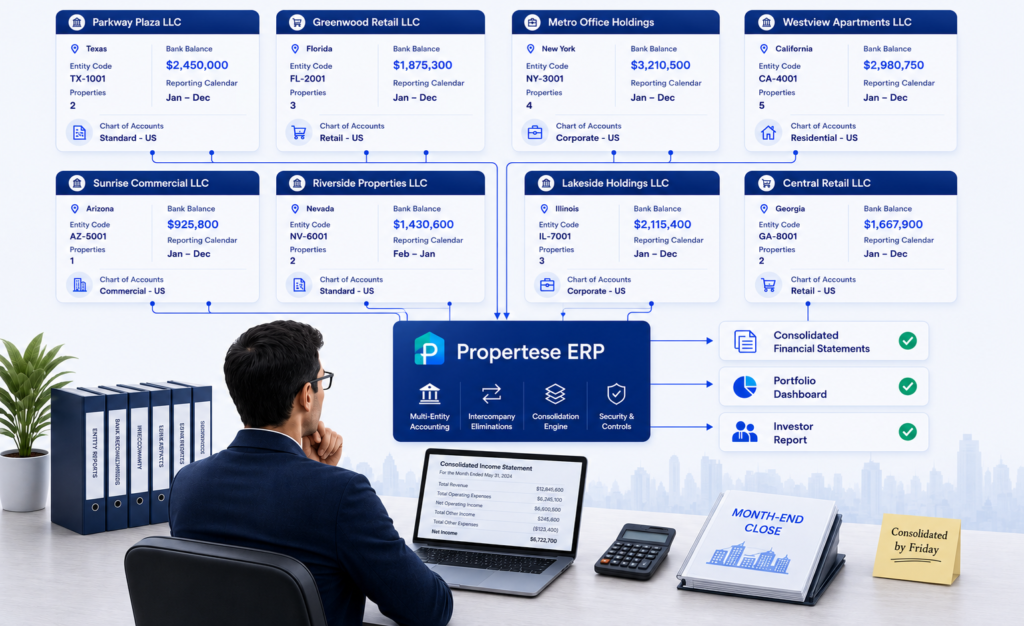
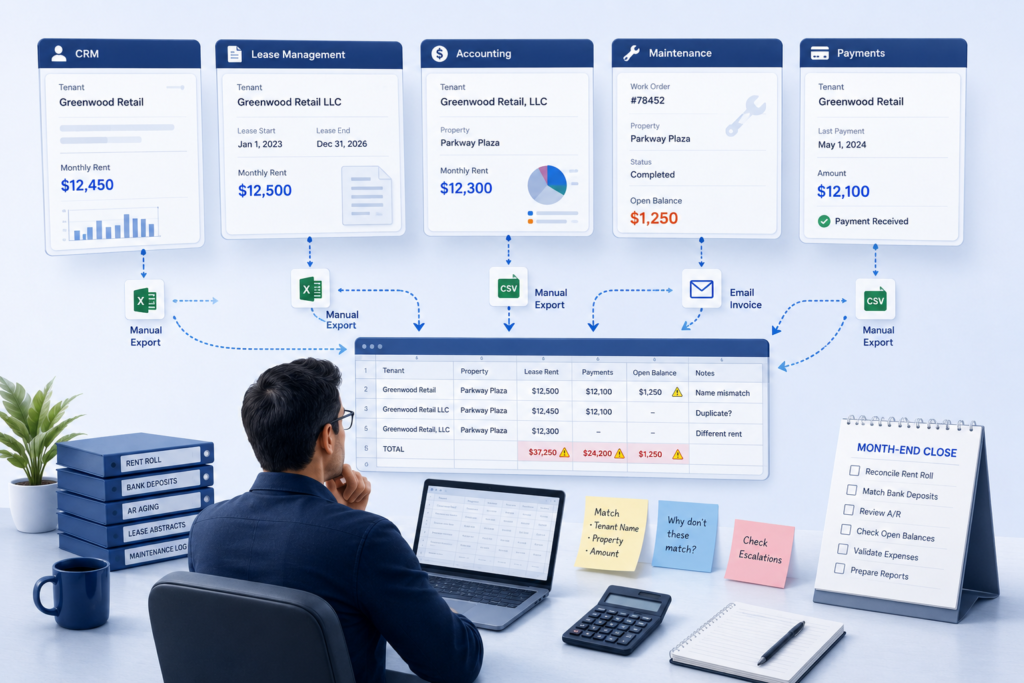
Managing multiple property entities in multi-entity real estate is difficult because every entity runs its own books, but the group needs to see one accurate picture of everything combined. The problem is that producing that combined picture almost always requires manual work that grows with every entity added.
Consolidated Reporting Takes Too Long
When each entity runs its own system, producing a consolidated income statement means:
- Exporting data from each entity separately
- Reformatting it to match a common structure
- Combining it manually in a spreadsheet
- Finding and fixing any discrepancies before the report can go out
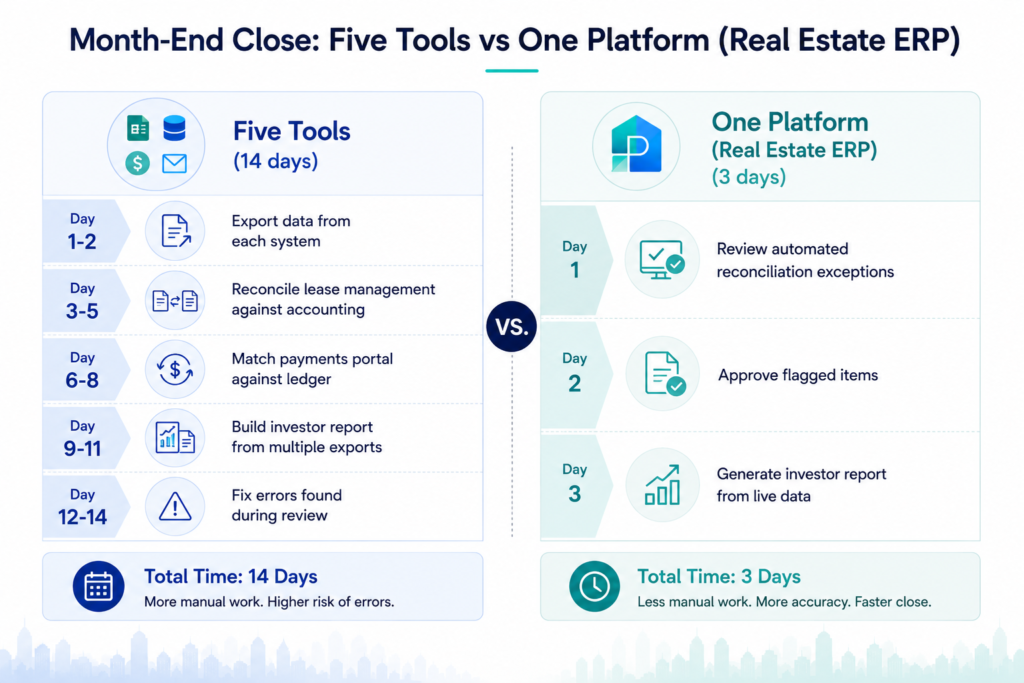
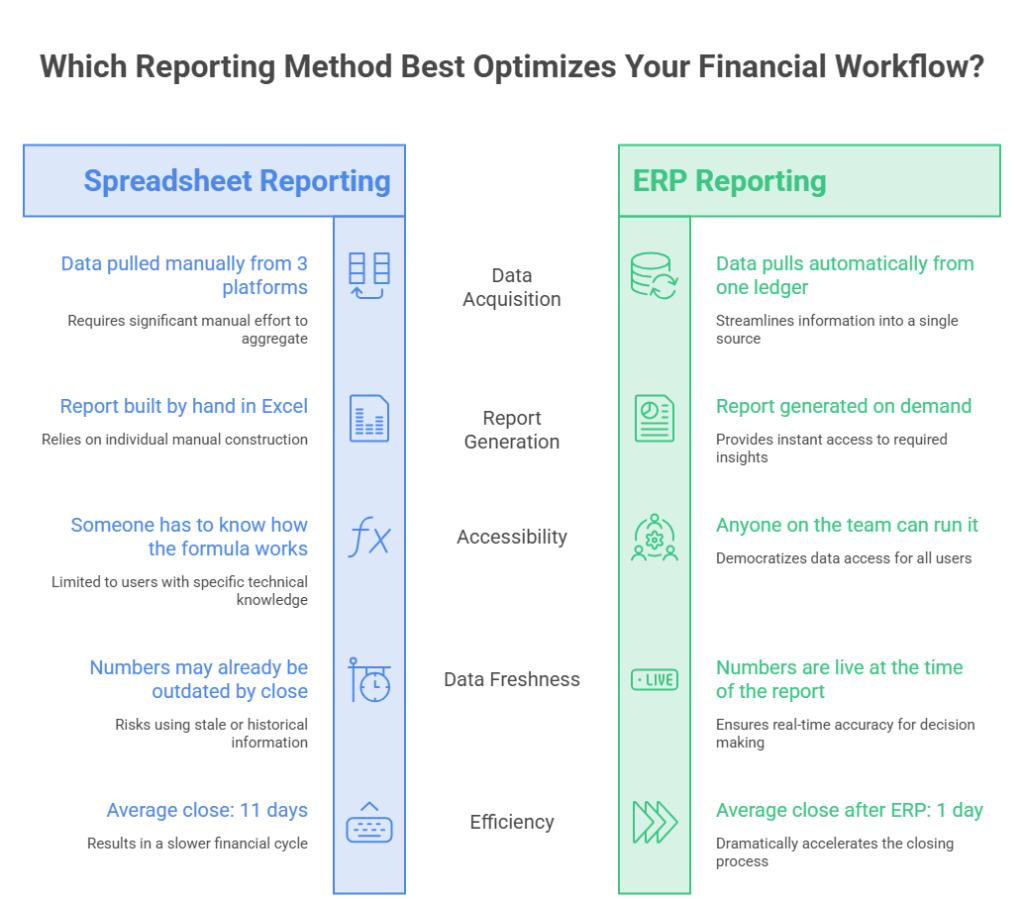
At two entities this is manageable, but at ten it becomes a multi-day effort that introduces errors at every step.
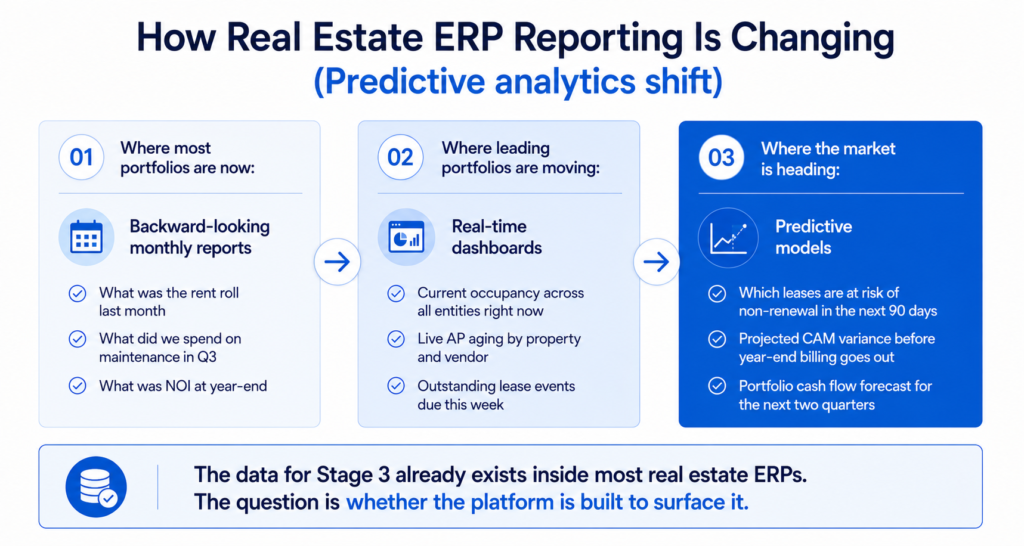
When entity data connects to a consolidated view automatically, the reporting layer can produce group financials on demand rather than at period end. For teams that want to track the performance of every asset in the portfolio from one place, managing real estate investments at the portfolio level shows how consolidated visibility across entities works in practice.
When entity data connects to a consolidated view automatically, the reporting layer can produce group financials on demand rather than at period end. Seeing what consolidated real estate reporting looks like across multiple entities makes clear why the data architecture underneath it matters.
Intercompany Transactions Create Reconciliation Work
When entities within the same portfolio charge each other, both sides need to be recorded and then canceled out at the consolidated level. In practice this means:
- Recording the transaction on both sides of the intercompany relationship
- Tracking which eliminations have and have not been processed at period close
- Making sure the consolidated statements do not double-count either the expense or the revenue
One missed elimination produces a consolidated income statement that overstates both revenue and expenses. In a manual process, these errors are easy to miss and slow to find.
Inconsistent Charts of Accounts
When different entities use different account names for the same category, producing a meaningful consolidated report requires manual mapping at every close. Common examples:
- Entity A: “Repairs and Maintenance” / Entity B: “Operating Expenses”
- Entity A: “Property Tax” / Entity B: “Real Estate Taxes”
- Entity A: “Management Fee” / Entity B: “Administrative Expense”
Each difference requires a manual reclassification step before the numbers can be combined. Fixing this retroactively across years of historical data is significantly more expensive than establishing a standard chart of accounts from the start.
Fragmented Access and Visibility
Each entity may have different investors, lenders, and compliance requirements. Without a unified system:
- A property manager working across five entities logs into five separate systems
- An investor in one entity can potentially see data from another
- Access permissions are managed separately in each tool with no central record of who has access to what
This creates both operational friction and compliance risk that grows with every entity added.
How Should You Set Up a Multi-Entity Real Estate Portfolio?
A multi-entity real estate portfolio should be set up around three decisions that are easy to make correctly at the start and expensive to fix after the portfolio has grown. The entity hierarchy, the chart of accounts, and the intercompany transaction policy all need to be in place before the team acquires any properties, not after.
Decision 1: Entity Hierarchy
The hierarchy determines how financial reporting flows upward. A flat structure with every LLC at the same level keeps entity reporting simple but makes group consolidation harder. A tiered structure with property LLCs sitting under fund-level entities makes consolidation cleaner but requires careful intercompany transaction management between tiers.
Understanding how to manage multiple properties across different entity tiers is the foundation of this decision. A tiered approach works well when assets are grouped by fund, geography, or asset class.
For affordable housing portfolios with tax credit or HUD compliance requirements, the entity structure has additional regulatory dimensions. Each tax credit project typically requires its own limited partnership with specific reporting obligations.
Knowing how to manage multi-entity property portfolios starts with the entity hierarchy decision. Multi-entity property management set up incorrectly at the top requires expensive restructuring later. Getting it right before properties are acquired is cheaper than restructuring after they are in place.
Decision 2: Chart of Accounts
Every entity in the portfolio should use the same account codes for the same categories. This is what allows consolidated reporting to work automatically rather than requiring manual account mapping at every close.
Design the chart of accounts for the most complex entity in the portfolio, not the simplest. Starting simple and expanding later means remapping every report the portfolio has ever produced.
Decision 3: Intercompany Transaction Policy
Define exactly how management fees, shared services, and capital transactions between entities will be recorded before any intercompany transaction occurs. The policy should specify:
- Which account codes are used on each side of the transaction
- The timing for recording each side
- How eliminations will be applied at consolidation
These are accounting policy decisions that affect every consolidated financial statement the portfolio will produce going forward.
How Do You Produce One Financial Report Across Multiple Property Entities?
Producing one financial report across multiple entities means closing each entity’s books separately, eliminating any transactions between entities, and then combining the results into a single consolidated statement. The challenge is that each step requires accurate data from the previous one, and any error carries forward.
Here is the process at each reporting period:
| Step | What Happens |
| 1. Close each entity | Every entity closes its own books. Revenue, expenses, and balance sheet items are confirmed at entity level before consolidation begins. |
| 2. Record intercompany transactions | All transactions between entities in the period are identified and recorded on both sides. |
| 3. Eliminate intercompany items | In the consolidated statements, intercompany revenue and expenses cancel each other and are removed. Intercompany balances net to zero on the consolidated balance sheet. |
| 4. Aggregate and produce statements | After eliminations, remaining balances across all entities combine into consolidated income statement, balance sheet, and cash flow. |
| 5. Produce entity-level reports | Alongside the consolidated view, individual entity statements are produced for investors, lenders, and compliance. |
When software handles steps two through five automatically, the finance team focuses on step one and reviewing the output. When it runs manually, every step consumes staff time and every handoff between steps is a place where errors enter.
Understanding how NOI at the entity level rolls up to the portfolio level matters here. The guide on understanding NOI in property management covers how entity-level data accuracy directly affects the reliability of consolidated portfolio analysis.
What Does It Mean to Run Separate Books for Each Property Entity?
Running separate books for each entity, which is what multi-company accounting in real estate requires, means each LLC maintains its own complete financial records: its own chart of accounts, its own bank reconciliation, its own accounts payable and receivable, and its own financial statements. These records are independent at the entity level but need to combine accurately at the group level.
Each entity needs:
- Its own chart of accounts, bank reconciliation, and subledgers
- Separate accounts payable and receivable tracking
- Entity-level financial statements for lenders and investors
- User access controls so entity-level staff see only what is relevant to them
- Compliance with any entity-specific reporting requirements
When entities run on the same platform with fully separate books, intercompany eliminations and consolidated reporting work from the same underlying data. That removes the manual reconciliation step entirely. For portfolios where each property has a different ownership structure, getting entities mapped correctly from day one is what separates automatic consolidated reporting from a process that gets rebuilt manually at every close.
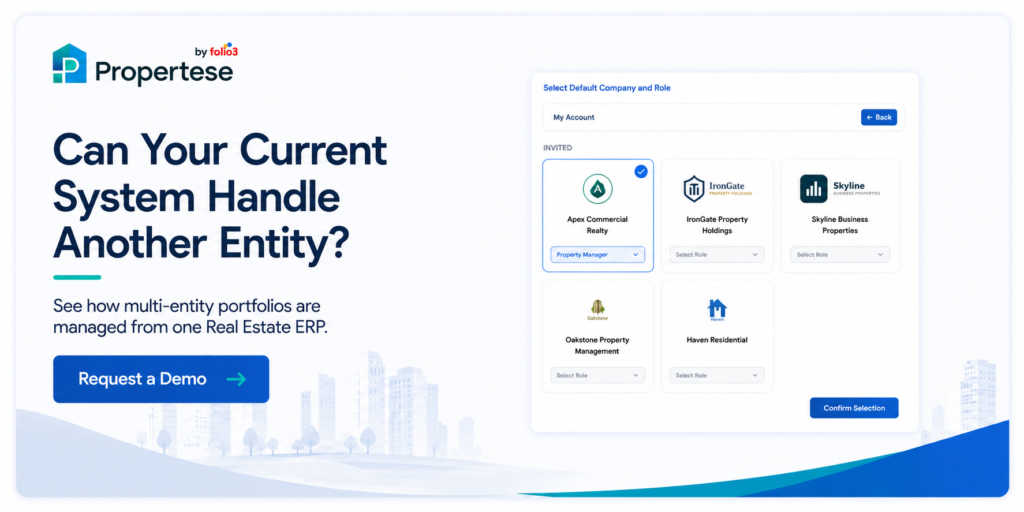
What Software Actually Handles Multi-Entity Property Management at Scale?
Software that handles multi-entity property management at scale maintains separate books for each entity while producing consolidated reporting automatically. Most property management platforms do one or the other. Few do both from the same data layer.
Here is how the main options compare:
| Option | What It Does Well | Where It Falls Short |
| Spreadsheets | Works for 1 to 3 simple entities | Manual consolidation, version control breaks down at scale, no intercompany elimination |
| Single-entity PM software | Strong on operations: maintenance, tenant management, rent rolls | Does not handle intercompany transactions or consolidated reporting across entities |
| General-purpose ERP (e.g. Sage Intacct) | Strong multi-entity accounting and consolidation | Requires a separate PM platform for operations, which reintroduces reconciliation between systems |
| Purpose-built real estate ERP | Operations and financials in one platform, consolidation automatic, entity-level books separate | Higher initial implementation investment than single-entity tools |
A May 2026 analysis found that real estate operators managing multi-entity portfolios rely on manual workflows that depend on spreadsheets, disconnected reporting, and reactive processes that were not designed for modern portfolio complexity (source). The problem becomes more visible as portfolios scale and the number of entities, lenders, and banking relationships multiplies.
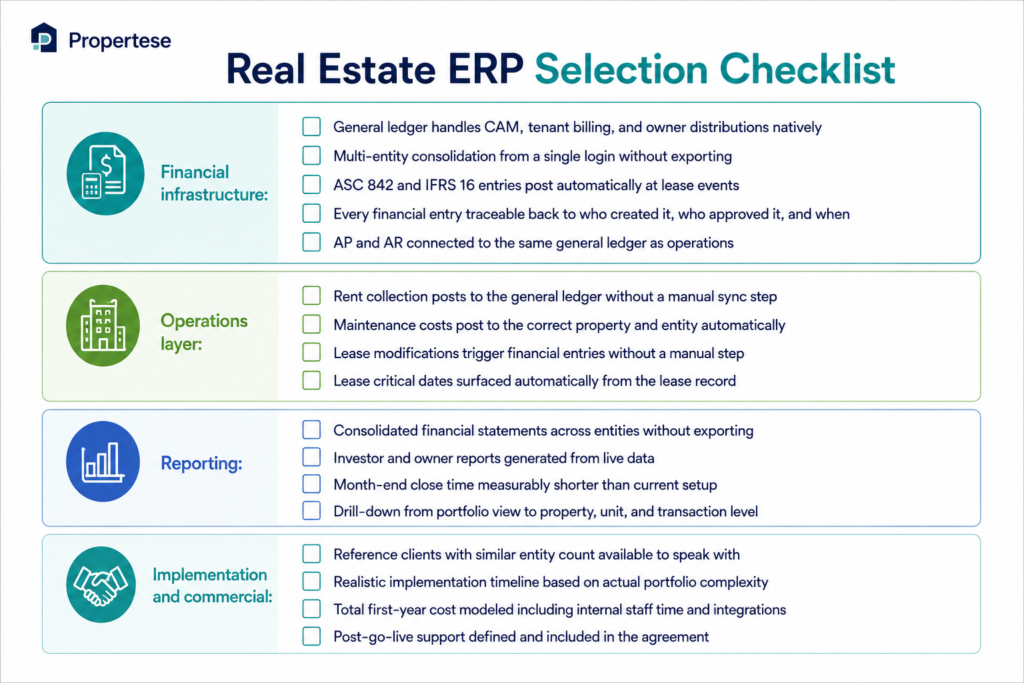
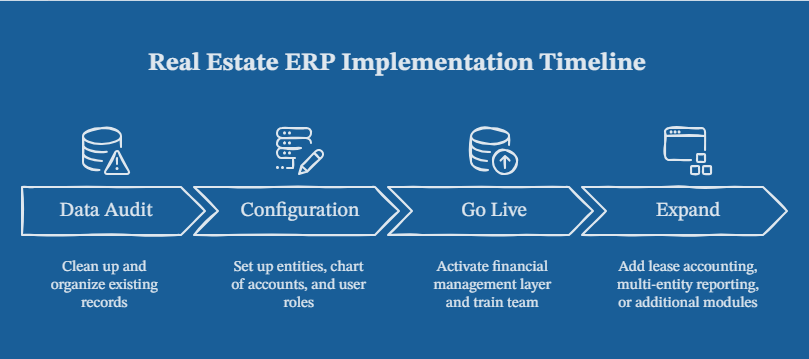
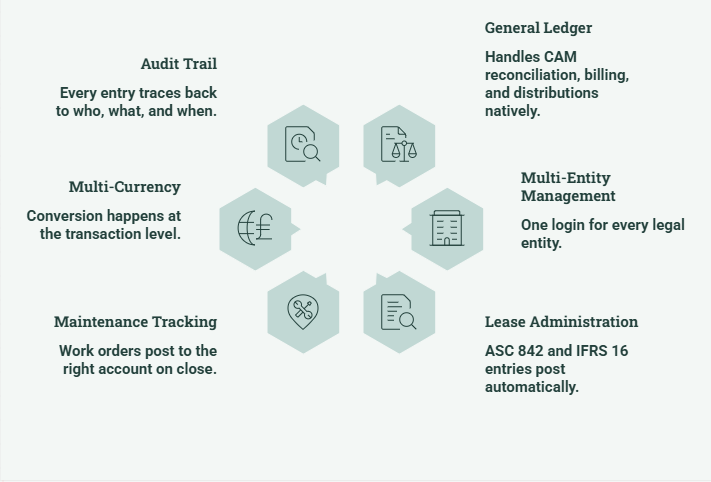
Propertese is built on NetSuite’s financial infrastructure, where each entity is set up independently with its own properties, users, and financial configuration. A single login gives authorized users access to every entity they are permitted to see. Intercompany transactions are recorded and eliminated automatically, and consolidated P&L, balance sheet, and cash flow statements are generated within the platform without a spreadsheet at any stage.
For commercial property portfolio management teams managing ten or more entities, this means the consolidation that would otherwise take days of manual spreadsheet work runs automatically at period close.
How absorption rate and vacancy data at the asset level feeds into portfolio-level decisions also changes when the entity financials are clean and connected. The analysis becomes something the team runs proactively rather than assembles reactively at quarter-end.
How Does Propertese Manage Multiple Entities in One Real Estate ERP?
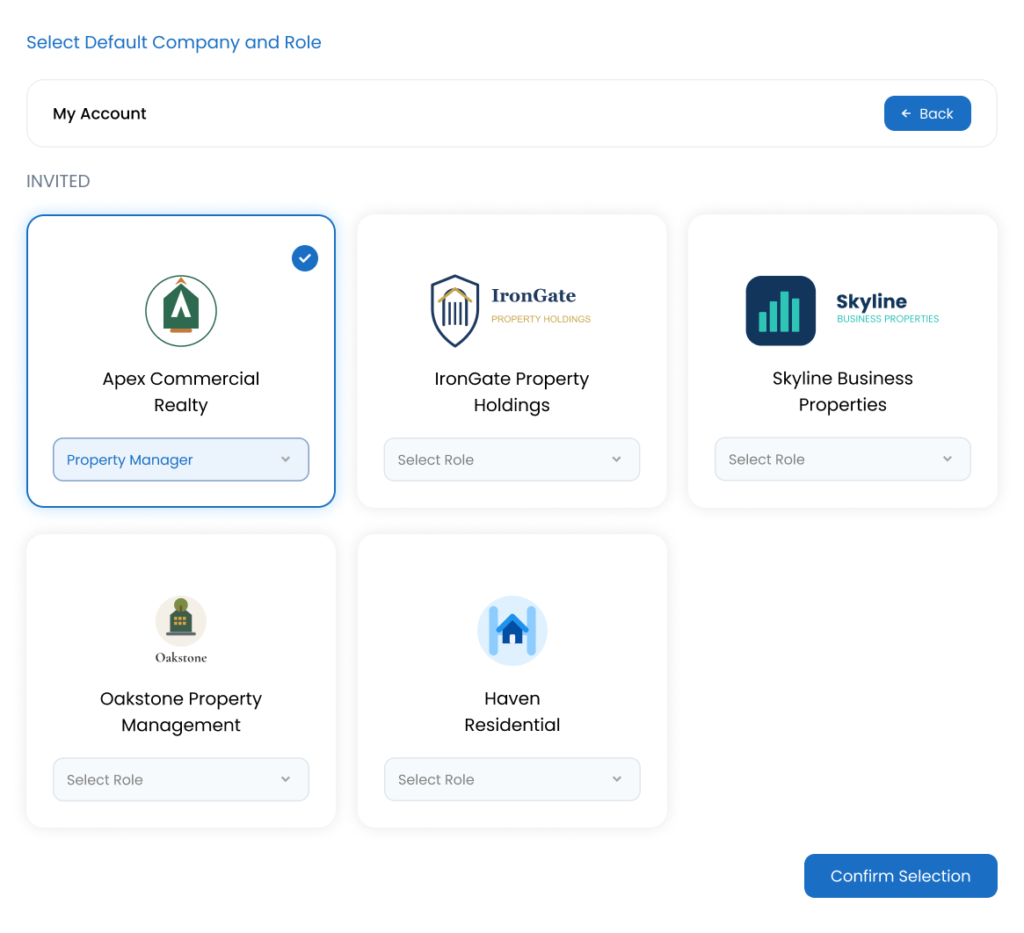
Propertese handles multi-entity property management by giving each entity its own independent setup within one connected platform. Every LLC, holding company, fund, or SPV is configured with its own properties, users, and financial settings. They operate independently at the entity level and roll up automatically at the group level.
Here is how each part of the multi-entity problem gets handled:
One Login Across Every Entity
Property managers and stakeholders working across multiple entities log in once and access every entity they are authorized for. Access is controlled at the company and role level, so each user sees exactly what is relevant to their responsibilities. Changes to permissions are logged with timestamps for compliance and audit purposes.
Intercompany Transactions Without Manual Work
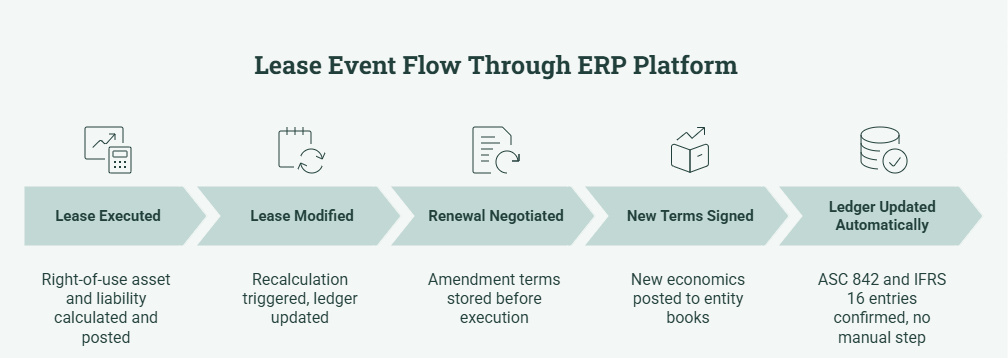
When entities within the portfolio transact with each other, whether a management fee, a shared service recharge, or an intercompany loan, Propertese records both sides of the transaction and applies the elimination automatically at consolidation. The finance team does not manually calculate or post elimination entries at period end. An intercompany aging report surfaces any unmatched balances before the period closes.
Consolidated Financials Without a Spreadsheet
Propertese leverages NetSuite’s financial infrastructure to generate consolidated P&L, balance sheet, and cash flow statements across all entities directly within the platform. The system applies intercompany eliminations automatically before the consolidated output is produced. There is no spreadsheet involved at any stage, and the consolidated view is available at any point in the period rather than only after month-end.
Financial Data Posted to the Right Entity Every Time
Every lease charge, vendor payment, management fee, and operational cost in Propertese posts to the correct entity, property, and general ledger account automatically. There is no manual entry required between property management records and financial accounts, and no risk of a transaction posting to the wrong entity.
The Eckelkamp case study covers a real portfolio that moved from disconnected entity management to one platform, where consolidation that previously took days of manual spreadsheet work now runs automatically at period close.
Frequently Asked Questions
How do you manage multiple properties across different legal entities?
To manage multiple properties across different legal entities effectively, start with a standard chart of accounts shared across all entities, a clear intercompany transaction policy, and software that keeps separate books per entity while consolidating automatically.
What is multi-entity property management?
It means running properties held in separate legal entities, each with its own books, while producing one consolidated financial view of the whole portfolio. It is common in commercial real estate, REITs, and investment funds where different assets have different ownership structures, lenders, or investors.
What is the biggest challenge in multi-entity real estate?
Consolidated financial reporting. Producing an accurate consolidated income statement across ten or twenty entities requires either software that handles consolidation automatically or a manual process that consumes days of finance team time at every close.
When does a real estate portfolio need dedicated multi-entity software?
Usually at four to six entities, or earlier if the portfolio has intercompany transactions, fund-level investor reporting, or compliance requirements that differ by entity. At two to three entities, a manual process is manageable. Above five, it becomes the dominant cost in the finance function.
How does intercompany elimination work in real estate?
When one entity within the portfolio pays a fee to another entity in the same portfolio, both sides are recorded at the entity level. In the consolidated statements, both the expense and the revenue cancel each other out and are removed. In Propertese, this happens automatically so the finance team does not manually calculate or post elimination entries at period close.
What is the difference between entity-level and consolidated reporting?
Entity-level reporting shows the financial performance of one specific legal entity, typically needed by lenders, specific investors, or compliance frameworks. Consolidated reporting shows the combined performance of the whole portfolio after eliminating intercompany transactions. A well-structured real estate group produces both from the same system.
Get the Structure Right Before the Portfolio Gets Complex
Multi-entity property management is less about headcount and more about whether the financial infrastructure keeps pace with the portfolio’s legal structure. The chart of accounts design, the intercompany policy, and the platform running the books all determine whether the finance team spends its time on analysis or on assembling data that a connected platform would produce automatically.
Getting these decisions right before the portfolio grows past five entities is significantly less expensive than correcting them afterward. And choosing software that handles multi-entity consolidation automatically, rather than stretching single-entity tools to cover more, is the most consequential technology decision a growing real estate group will make.
Talk to Propertese about what multi-entity property management looks like on a platform built for it.