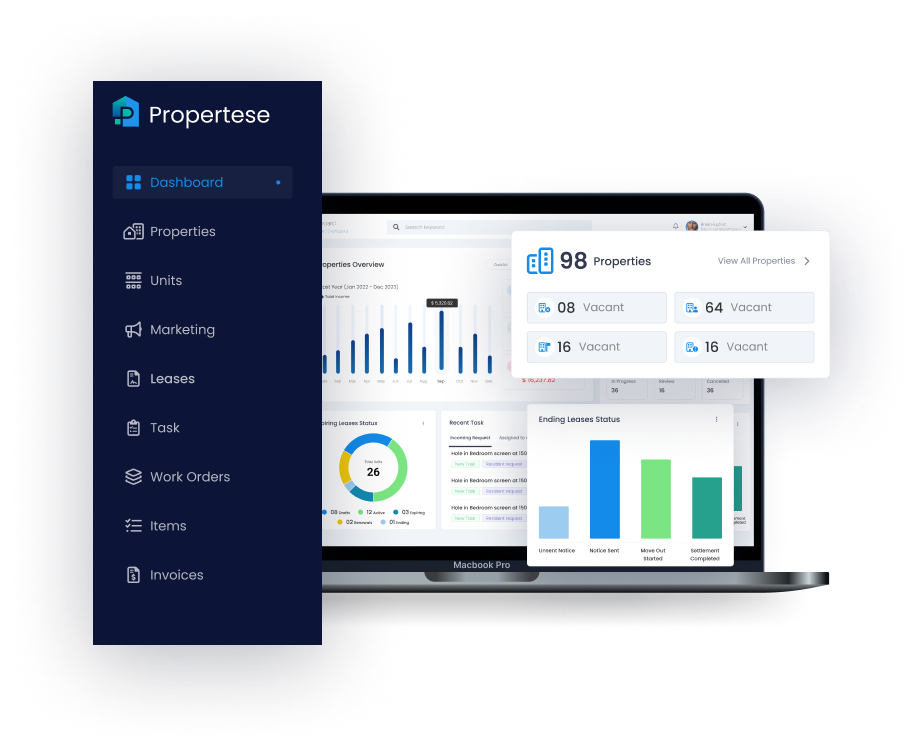
An effective escalation workflow is about more than chasing overdue payments. It is about fairness, compliance, and control at scale. A structured process with automation gives property managers a clear path from initial reminders to potential legal action while protecting tenant relationships and keeping a verifiable audit trail. This article shows how to map the workflow, automate stages, align them with legal thresholds, and craft communication scripts that promote cooperation, not conflict. For a quick primer on the basics see our guide on what rental arrears are for property owners.
Key takeaways:
- Consistent rules and clear owners speed resolution and cut errors.
- Legal thresholds must guide every escalation step.
- Layered automation creates urgency with fairness and human checks.
- Integrated payments and reconciliation stop escalation as soon as funds clear.
- Simple and courteous scripts improve response rates and reduce disputes.
Mapping the rent arrears escalation process
A well-mapped escalation process allows property teams to act with consistency and within the law across all tenancies. It starts with prompt reminders and moves through clear steps that show when to escalate, who owns each step, and what action to take.
Workflow automation in this context means digital systems that send notices, log actions, and assign follow up tasks based on rules such as three days overdue or no response after 48 hours. This reduces error and ensures every tenant gets equal treatment.
Each escalation step should have an assigned owner, a standard turnaround time, and a centralized record within a property management platform such as Propertese. The table below shows a sample escalation flow:
| Stage | Trigger | Owner | Action/Channel | SLA |
|---|---|---|---|---|
| Due date Reminder | 3 days before | Leasing Ops | Email/SMS/Portal | 24h response |
| Late Notice | 3 days after | Collections | Email/Phone | 48h action |
| Formal Demand | 7 days after | Collections | Email/SMS/Formal Letter | Immediate |
| Legal Notice | 21 days after | Legal/PM | Notice to Quit/Legal | 7 days cure |
Automation of this structure ensures every missed payment follows the same path. It speeds resolution and cuts administrative burden. With Propertese, automated notices and role-based task assignments are built into the workflow for full visibility across teams.
Setting legal thresholds and compliance requirements
Every jurisdiction defines when and how landlords may impose fees, issue notices, or begin legal proceedings. These are the legal thresholds that any escalation model must include.
A legal threshold is a time frame or condition, such as 14 days past due or a written notice served at least 7 days before action, that marks when landlords can move to the next enforcement step. To stay compliant, property teams should codify grace periods, late fee triggers, and notice timelines based on local law and integrate them into their automation rules.
Regular legal review is essential, especially before any notice or filing. Automated systems that store tenant data and record time stamps for all activity help meet compliance needs by keeping full traceability for audits and disputes. Propertese simplifies this with automatic time stamps, audit logs, and centralized compliance reports.
| Jurisdiction | Grace Period | Legal Notice Window | Eviction Filing Threshold |
|---|---|---|---|
| Example A | 5 days | 10 days | 30 days |
| Example B | 7 days | 14 days | 35 days |
Building layered automation stages for rent arrears
Automation works best in layers with a clear path from soft reminders to firm demands and, if needed, legal escalation. Each step builds urgency without loss of fairness.
Typical automation stages include:
- Friendly Reminder: Sent a few days before and after the due date, usually via email or SMS.
- Formal Demand: Triggered after the grace period ends, often including late fees or payment plan options.
- Legal Action Trigger: When statutory thresholds are met, automation pauses for human approval before moving forward.
Defined workflows reduce manual errors and raise consistency. Automation guardrails, such as required manager approval for legal notices, ensure sensitive steps always get human oversight. In Propertese these guardrails are configurable to balance efficiency with compliance.
Integrating payments and reconciliation into the workflow
Payment integration sits at the core of effective rent arrears management. Platforms like Propertese automatically match received payments with outstanding invoices, and escalation stops once payment is confirmed.
Real-time integrations ensure transparency across ACH, debit, and credit card payments. ACH transactions may take up to three business days to clear, while card payments settle faster. Recurring payment authorization can reduce monthly arrears. For shared households, consider our split rent payments app guide to remove friction and improve on-time pay.
Payment reconciliation is the automated matching of received funds to tenant balances within the property management system. The table below outlines common payment types and their traits:
| Payment Method | Settlement Time | Best Use Case |
|---|---|---|
| ACH Transfer | Up to 3 days | Regular monthly rent |
| Debit/Credit | Instant to 1 day | Late payment catch ups |
| Recurring AutoPay | Scheduled | High on time payment rate |
Accurate reconciliation prevents double-billing and provides airtight records for accounting and audits. Propertese delivers this through deep synchronization with Enterprise Resource Planning (ERP) systems like NetSuite and Xero, and it removes manual reconciliation.
Tenant communication scripts for each escalation stage
Tenant communication is the bridge between automation and empathy. Every message must be timely, courteous, compliant, and consistent across channels.
Tenant communication automation uses technology to schedule or trigger these notices via email, SMS, or tenant portals. Many renters prefer text for urgent updates, and most favor digital communication overall.
Example scripts by stage:
- Friendly Reminder: “Hi [Name], your rent of [Amount] is due on [Date]. If you have already paid, thank you. Otherwise, please log into your tenant portal to confirm your payment today.”
- Formal Demand: “Dear [Name], your rent payment of [Amount] remains overdue by [X] days. A late fee may apply after [Date]. Please make your payment now to avoid escalation.”
- Legal Notice: “Dear [Name], despite previous notices, your rent remains unpaid. This letter serves as formal notice that legal action may begin if payment is not received within [X] days.”
Personalization and tone consistency build trust while keeping compliance. The Propertese Tenant Portal enables real-time communication history and message tracking, which reduces disputes and miscommunication.
Piloting, monitoring, and tuning the escalation workflow
A successful rollout starts with a pilot. Apply the workflow to a limited group, perhaps 10 to 20 accounts. Track notice open rates, payments received, and how many cases move to formal demand or legal action.
Weekly review meetings help uncover exceptions, such as tenants who make partial payments or who need extensions. Adjust rules and scripts based on feedback to improve scale and predictability.
Real data-driven monitoring, made simple in platforms like Propertese, turns arrears management from reactive to strategic, with dashboards that give visibility into every escalation stage.
Adding audit trails and approval gates for legal actions
Audit trails and approval gates safeguard landlords against compliance lapses and disputes. An audit trail is a log with time stamps that records every notice, email, and approval related to a property or tenant. These trails ensure transparency and accountability throughout the arrears process.
Requiring manual approval before high-risk steps, such as issuing a Notice to Quit or filing for eviction, creates a balanced system. Each event is recorded in the property platform for future reference.
| Action Type | Requires Approval | Logged in Audit Trail |
|---|---|---|
| Automated Reminder | No | Yes |
| Formal Demand | Optional | Yes |
| Legal Notice/Eviction | Yes | Yes |
Secure storage and immutable logs are key to showing compliance if legal action follows. Propertese’s built-in audit trail functionality provides complete traceability for both internal reviews and legal documentation.
Training staff and empowering tenants with help resources
Behind every automated system are people who must understand its logic and tenants who must trust its fairness. Internal training should cover escalation criteria, automated workflows, and compliance protocols so teams act with clarity and consistency.
On the tenant side, accessible learning materials such as FAQs, payment tutorials, and self-service troubleshooting help reduce confusion and inbound queries. A well-designed tenant portal that integrates communications with payment options can lower dispute volume and improve payment timeliness.
This dual empowerment, trained staff, and informed tenants create long-term operational efficiency and better outcomes for all. Propertese supports both sides through dedicated training modules and a built-in knowledge center for tenants and managers.
Frequently asked questions
What are the standard automation stages in a rent arrears escalation workflow?
They include pre-due reminders, grace period notifications, formal demand after late payment, and legal escalation if unpaid after 30 days, with each step managed in automated systems such as Propertese.
What key legal thresholds should property managers consider when escalating arrears?
Typical thresholds are initial informal notice 1 to 5 days late, formal written notice 5 to 30 days late, and lawful grounds for eviction if arrears persist, always aligned with local regulations.
How can tenant communication scripts minimize disputes during arrears escalation?
Consistent, clear, and courteous scripts record every step transparently within Propertese, which reduces misunderstandings and supports defensibility in disputes.
What tools best support automating the rent arrears process end-to-end?
Propertese automates payment tracking, reminders, escalation workflows, and legal triggers in one integrated, compliant system.
How can landlords prevent rent arrears from escalating?
Encourage autopay, confirm payment credentials before lease signing, offer multiple secure payment channels, and communicate consistently through the Propertese Tenant Portal.
Conclusion
A clear plan, the right guardrails, and accurate payment data turn rent arrears from a source of risk into a controlled process. If you want a straightforward way to put this model in place, Propertese offers built-in workflows, audit trails, and payment tools that help your team act with speed and care.
Table of Contents
Stay Updated
Subscribe to get the latest news, industry trends, blog posts, and updates...