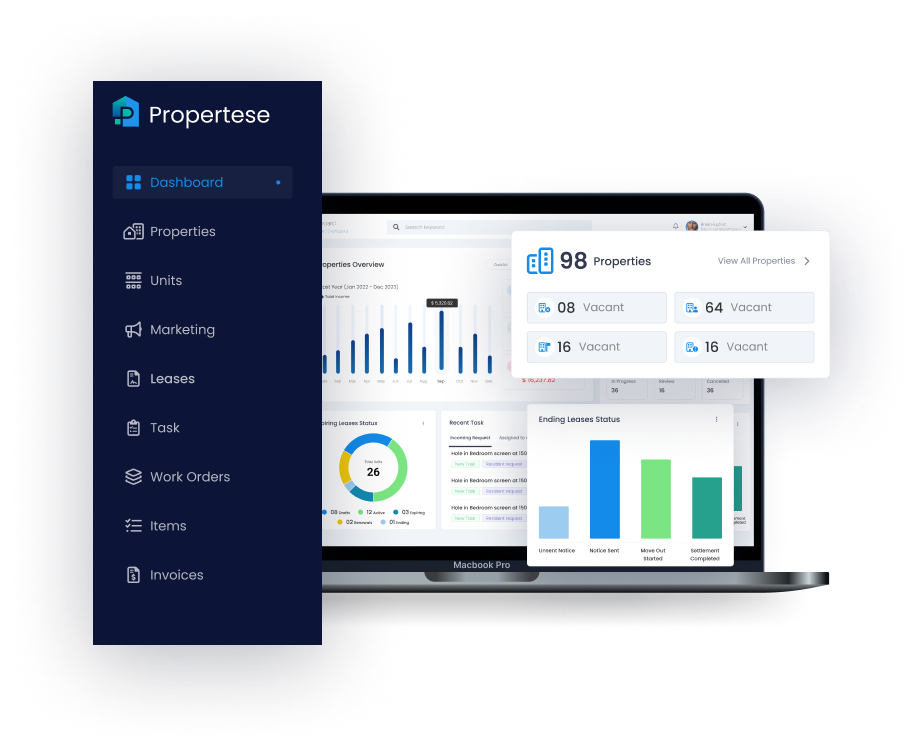
A well-built maintenance request portal is central to modern property operations. It connects tenants, vendors, and managers through a single digital hub that drives efficiency, transparency, and accountability. For property management firms, building an effective portal means balancing tenant-facing usability with back-end automation, SLA enforcement, and escalation logic. This guide outlines how to structure categories, configure response rules, and build automations that streamline maintenance across entire portfolios.
Key takeaways
- Clear categories and SLAs speed response and resolution
- Automation and escalation prevent missed tickets
- Tenant-friendly forms and multiple channels raise adoption
- A maintenance request portal gives real-time visibility to tenants and staff
Strategic overview
Building a maintenance request portal is not only about convenience. It is about operational control. Integrated service level agreements (SLAs), escalation workflows, and automated triage help property teams respond to issues faster, maintain compliance, and enhance tenant experience. Propertese advocates for centralized, data-rich portals that eliminate manual tracking and deliver measurable improvements in work order management and asset uptime. With Propertese, property managers consolidate maintenance tracking, SLA monitoring, and vendor coordination directly within one unified platform. Explore our support and maintenance request management software to see how teams keep control without extra admin work.
Define maintenance categories and SLA targets
Categorizing maintenance requests correctly ensures that urgent issues take precedence and compliance standards are met.
An SLA, or Service Level Agreement, formalizes a commitment to handle issues within defined timeframes from acknowledgment to full resolution.
Maintenance requests generally fall into three tiers:
| Category | Example issues | Acknowledge | Response/resolution target |
|---|---|---|---|
| Emergency | Burst pipe, gas leak, total power loss | Within 1 hour | On site within 4 hours |
| Urgent | HVAC malfunction, elevator issue | Within 4 hours | Technician assigned within 24 hours |
| Standard | Leaking faucet, broken tile | Within 24 hours | Resolve within 3 to 7 business days |
These categories guide routing logic and resource allocation, ensuring emergencies are handled first and standard repairs are batched efficiently. The maintenance request portal automatically triggers SLA timers when a request is logged, providing both tenants and staff with real-time visibility into progress. Propertese includes configurable SLA templates and automatic escalation tracking to streamline compliance across mixed portfolios.
Design tenant-focused request intake forms
In a maintenance request portal, request intake is where the tenant experience begins. The form must be quick, intuitive, and mobile-friendly while capturing the information required for accurate triage. Dropdown menus for issue type, priority, and unit, coupled with photo or video uploads, help technicians assess needs before arrival.
Mobile-optimized layouts, kiosks in communal areas, and automated confirmation emails build trust and reduce abandoned submissions.
Required fields and attachments
Capturing consistent data at submission reduces back and forth and speeds resolution. Key fields include:
- Unit or asset location
- Issue category and short description
- Priority selection (emergency, urgent, standard)
- Preferred access times and contact notes
- Attachments (photo or video)
Attachments play a crucial role in diagnosis. They help maintenance teams understand the scope, assign the correct vendor, and arrive prepared for a single-visit fix.
Multi-channel submission options
Different tenants prefer different channels. To accommodate this, portals should support multiple intake methods while centralizing all data in one system, such as Propertese.
| Channel | Strengths | Limitations |
|---|---|---|
| Web portal | Full visibility, rich data capture | Requires login setup |
| Mobile app | Fast repeat submissions | Depends on device compatibility |
| SMS/text | Inclusive for all users | Limited attachments |
| QR codes | Immediate access in shared spaces | Requires signage and management |
Initially, managers may allow mixed methods before gradually enforcing a “portal first” policy to streamline tracking and ensure SLA compliance.
Build automated triage and prioritization rules
Automated triage classifies each request based on keywords, categories, and tenant input, assigning SLA timers without staff intervention. When configured correctly, this logic can increase processing capacity per administrator by 40% or more.
For instance, a submission containing “water leak” automatically triggers an emergency tag and a four-hour response window.
Duplicate detection and auto priority scoring
Duplicate detection prevents multiple tenants from reporting the same issue and flooding the system. The portal compares issue descriptions, location, and timestamps to identify duplicates.
Auto priority scoring assigns urgency based on predefined business rules. This ensures true emergencies receive instant escalation while routine tasks queue efficiently.
Auto priority scoring is the automated ranking of maintenance requests by urgency and impact. It activates appropriate workflows the moment a ticket is submitted. Within Propertese, these workflows integrate directly with SLAs to maintain workload balance and compliance alerts in real time.
Warranty and history checks
Pulling maintenance and warranty data into the portal prevents unnecessary repairs and ensures warranty-covered assets are serviced correctly. Each request triggers a background check against equipment history. If a component is still under warranty, the system automatically directs the work order to authorized vendors. This saves cost and avoids conflicts.
This logic creates a feedback loop: every completed request enriches asset histories, improving predictive maintenance and vendor accountability.
Configure SLA timers and escalation workflows
SLAs are only effective when tracked automatically. The portal should start SLA timers at submission, displaying live countdowns for tenants and staff. If an SLA threshold nears expiry, the system escalates the issue so no request slips through. Propertese enables these timers and alerts to operate automatically across all housing types, ensuring consistency and visibility portfolio-wide.
SLA response and resolution bands
Different issues demand different timeframes. Common SLA bands look like this:
| Category | Acknowledge | On-site response | Resolution expectation |
|---|---|---|---|
| Emergency | Within 1 hour | Within 4 hours | Immediate or final fix where possible |
| Urgent | Within 4 hours | Within 24 hours | Within 48 hours |
| Standard | Within 24 hours | Within 3 to 5 days | Within 7 business days |
These metrics should appear in dashboards to help property teams monitor compliance, identify bottlenecks, and maintain regulatory confidence.
Automated escalation paths and alerts
Escalation logic automatically advances unresolved requests to the next management or vendor level if deadlines lapse. When an SLA timer expires, alerts are pushed to supervisors and alternate vendors via SMS or mobile notifications.
Color-coded dashboards help prioritize overdue work at a glance, often using visual “heatmaps” for regional oversight. Systematic escalation ensures accountability while protecting service quality.
Integrate with CMMS and vendor dispatch systems
A successful maintenance request portal does not exist in isolation. It syncs seamlessly with a Computerized Maintenance Management System (CMMS) or Property Management System like Propertese.
A CMMS, or Computerized Maintenance Management System, manages work order lifecycles, asset data, and vendor communications. Integration means requests immediately generate timestamped digital work orders, which trigger vendor dispatch and enable transparent invoice tracking.
Work order creation and tracking
The typical workflow moves from tenant request to work order creation, vendor assignment, live progress updates, and final closure.
| Process type | Description | Key benefit |
|---|---|---|
| Manual | Staff reviews and assigns every request | Slower turnaround, prone to delay |
| Automated | Portal routes request instantly to vendor | Consistent SLAs, full audit trail |
Capturing timestamps and costs automatically ensures compliance and supports future budgeting and analysis. In Propertese, this data syncs directly with ERP modules for coordinated financial oversight.
Vendor assignment and performance monitoring
Vendor selection rules can match work orders to technicians by location, specialty, or workload. Managers retain manual override for exceptions.
Dashboards track vendor performance across metrics such as on-time delivery, cost control, and tenant satisfaction. Integrated warranty and history data further refine vendor routing and ensure specialized repairs go to qualified providers. Learn more about maintenance request management in Propertese.
Onboard tenants and promote portal adoption
Even the best-built portal succeeds only if tenants use it. Effective onboarding is crucial. Introduce the portal during lease signing, display QR codes in common spaces, and implement a phased portal first period.
Within 30 days, most properties achieve over 85% digital adoption when communication is consistent and alternative channels are gradually phased out. Propertese provides configurable access permissions and branded portal interfaces that simplify rollout while maintaining tenant engagement.
Portal first policies and QR code deployment
Portal first policies streamline all request intake. QR codes in hallways, elevators, or utility rooms provide instant access to the web portal. After a short adoption window, tenants are directed to submit all maintenance through the portal.
Clear signage, how-to guides, and access to support staff during rollout ease tenant transition. Beyond convenience, these policies reduce email and phone volume and enable real-time operational analytics.
Monitor SLA compliance and tenant satisfaction
Continuous monitoring validates the system’s impact. Key metrics include:
- SLA acknowledgment and resolution compliance
- First-time fix rate
- Tenant portal adoption percentage
- Average time to resolution
- Tenant satisfaction (via quick surveys)
Periodic reviews, quarterly or biannually, should feed insights back into portal design, ensuring the system evolves with tenant needs and operational goals. With Propertese analytics, managers gain a unified view of performance data across every property, enabling data-driven improvement.
Frequently asked questions
How can I design a tenant-friendly maintenance request form?
Create short, mobile-ready forms with fields like unit, description, priority, and photo uploads. Use dropdowns for clarity and confirm submissions instantly. Propertese’s Tenant Portal includes these form templates out of the box.
What are typical SLA timeframes for maintenance requests?
Emergencies should be acknowledged within 1 hour and resolved within 4 hours. Urgent issues within 24 to 48 hours. Standard within 3 to 7 business days.
How does escalation logic improve maintenance outcomes?
It auto routes overdue requests to higher-level staff or alternate vendors, maintaining accountability and service continuity. Propertese automatically manages these escalations through configurable escalation paths.
What integration features should a maintenance portal support?
Integration with CMMS and ERP systems enables automated work order creation, vendor dispatch, and billing or compliance tracking. Propertese integrates directly with platforms like NetSuite, Xero, and DocuSign for full lifecycle management.
How can I encourage tenants to use the maintenance portal consistently?
Introduce the portal at move-in, promote QR code access, and adopt a portal-first submission policy. Propertese’s guided onboarding and intuitive mobile tools drive faster tenant adoption across property types.
Conclusion
A strong maintenance request portal helps teams route work, track SLAs, and keep tenants informed without added overhead. Simple forms, clear categories, and automation turn maintenance into a reliable, visible process. If you want to simplify operations and lift service quality, see how Propertese can support your team with a platform built for real estate portfolios.
Table of Contents
Stay Updated
Subscribe to get the latest news, industry trends, blog posts, and updates...