Most real estate finance teams get this wrong on the first attempt and pay for it every month-end close. Here is a complete, practitioner-level framework for building a property management accounting COA that actually scales.
Key takeaways
- A generic COA cannot support real estate. Every transaction must live at both the entity level and the property level simultaneously. Standard accounting tools are not built for this dual-axis requirement.
- Account proliferation is the most expensive COA mistake. Creating property-specific accounts instead of using segments produces bloated account lists, slow closes, and reports no one trusts.
- The revenue section is where most portfolios fail first. Base rent, CAM recoveries, straight-line rent adjustments, and lease termination fees must each sit in dedicated accounts, not lumped into a single Rental Income line.
- Intercompany transactions will corrupt every consolidated income statement unless the COA has purpose-built intercompany accounts named by counterparty.
Why Most Property Portfolio COAs Fail Under Scale
The problem with the chart of accounts in real estate is not a lack of accounting knowledge. Most real estate finance professionals know their debits and credits. The problem is structural.
The standard five-category COA format was designed for businesses where a single transaction maps cleanly to one entity and one cost center. Real estate breaks this assumption immediately. In property management accounting, every transaction must live in two places at once: the entity level (which LLC or limited partnership owns this asset?) and the property level (which physical building generated this income or cost?).
When your accounting system cannot hold both dimensions on a single transaction, you compensate. And compensation always takes the same forms:
- Creating property-specific accounts until your COA has 600 accounts and no one can navigate it.
- Running separate QuickBooks files per entity and assembling them in Excel at month-end.
- Running property management software for operations and a separate accounting tool for the GL, then spending three days reconciling the gap between them.
- Producing NOI reports that your asset managers do not trust because they cannot trace how the numbers were assembled.
These are not technology failures. They are structural failures. And they all trace back to a COA that was not designed for real estate from the start.
What Propertese Solves Before You Touch the COA
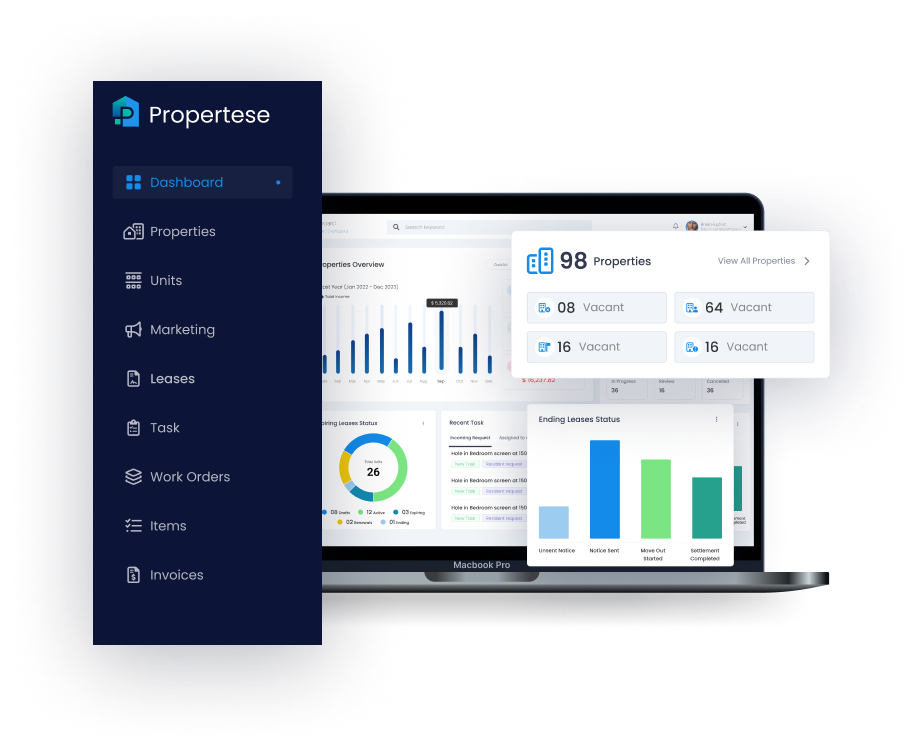
Most property management platforms are built as standalone tools that connect to an accounting system via API. Propertese is different at the foundation level. It runs inside NetSuite, sharing the same database, the same chart of accounts, the same subsidiary structure, and the same segment dimensions.
When Propertese generates a rent invoice, there is no API call, no data sync, no middleware layer, and no reconciliation step required. The NetSuite accounts receivable entry is created at the same time without any manual intervention. The same applies to CAM charges, maintenance costs, security deposit receipts, lease termination fees, and every other property management transaction.
| One-to-One Company to Subsidiary Mapping |
|---|
| Each Propertese company maps directly to one NetSuite subsidiary. Every financial transaction in Propertese posts to the correct legal entity automatically. No manual entity selection. No coding errors. No post-period corrections. |
| Property-Level Tagging on Every Transaction |
|---|
| Every transaction Propertese generates carries the property Location segment, the asset Class segment, and the Department segment — automatically. Finance teams do not need to manually tag transactions for property-level P&L. Propertese applies the segment structure by design. |
| Lease-to-Ledger Without Manual Entry |
|---|
| Rent invoices, CAM estimates, lease escalations, rent-free periods, and straight-line rent adjustments are all generated from the lease record in Propertese and post to the correct NetSuite accounts on schedule. No monthly manual invoicing. No invoice duplication between systems. |
| Real-Time NOI Dashboard Without Spreadsheet Assembly |
|---|
| Because Propertese and NetSuite share the same data, NOI by property, rent roll, occupancy, and AR aging are all live on the Propertese dashboard. The close process verifies what is already visible rather than building what did not yet exist. |
Separate Utilities Account Per Property
The most important design concept in property accounting software is the difference between encoding dimensions into account numbers versus applying them as segments on transactions.
In a flat COA system, the only way to track which property generated a utilities expense is to create a separate utilities account per property. This pattern produces COAs with hundreds of accounts, makes training new staff difficult, turns budget variance reporting into a mapping exercise, and makes consolidation impossible without manual account normalization.
Propertese, running inside NetSuite, uses a segment-based architecture instead. A single 5200 Utilities account exists. Every transaction Propertese posts to that account is automatically tagged with four dimensions:
| Subsidiary | Location | Class | Department |
|---|---|---|---|
| The legal entity (LLC, LP, holding company, management company) | The individual physical property (Oakwood Tower, Riverside Business Park) | The asset type or fund (Residential, Commercial Office, Industrial, Fund I) | The functional area (Leasing, Maintenance, Property Admin, Finance) |
The result: one 5200 Utilities account produces a utilities breakdown by property, by entity, by asset class, and by function, from the same transaction. No duplicate accounts, manual report builds, and post-period reclassifications.
Propertese applies all four segment dimensions automatically on every transaction it generates. Finance teams do not maintain segment discipline manually. The software enforces it by configuration at the property record level.
If you are new to how this dimensional structure works in practice, this overview of the property management chart of accounts in real estate explains the foundation before you get into the multi-entity layer.
| THE PROLIFERATION TRAP MOST TEAMS FALL INTO |
|---|
| The most expensive COA mistake in property management accounting is creating property-specific accounts instead of using segments. Teams that do this end up with 500-plus accounts, month-end closes measured in weeks, and training costs that never end. The segment architecture in Propertese exists precisely to prevent this — and it is enforced at the transaction level, not left to individual discipline. |
The Property Management COA: Full Account Range Reference
With the segment architecture understood, here is what the actual account structure should contain. This framework is designed for a commercial or mixed-use multi-entity portfolio. Residential-only portfolios will use a subset; mixed-use portfolios may need additional sub-accounts in revenue categories.
Asset accounts (1000–1999)
| Account Range | Account Name | Notes for Property Management Accounting | Type |
|---|---|---|---|
| 1000–1099 | Cash & Bank Accounts | One bank account per entity minimum; subsidiary-level permissions enforced in NetSuite | Current |
| 1100–1199 | Accounts Receivable | 1110 = Tenant AR; 1120 = CAM Recovery Receivable; 1130 = Other AR — split mandatory for CAM reconciliation | Current |
| 1200–1299 | Prepaid & Deposits | 1200 = Prepaid Insurance; 1210 = Prepaid Property Tax; 1220 = Deposits Paid to Vendors | Current |
| 1300–1399 | Escrow & Reserve Accounts | Capital reserves, insurance escrow, tax escrow — separate tracking required for lender covenant reporting | Current |
| 1400–1490 | Intercompany Receivables | One account per counterparty entity — 1400 = IC Rec from Management Co; 1410 = IC Rec from SPV 2. Named-counterparty structure is essential for monthly reconciliation. | IC |
| 1500–1599 | Land | Never depreciated; always tracked separately from buildings — critical for accurate depreciation schedules | Fixed |
| 1600–1699 | Buildings & Improvements | 1600 = Buildings; 1610 = Building Improvements; 1620 = Roof Systems; 1630 = HVAC Systems | Fixed |
| 1700–1799 | Tenant Improvements | Landlord-funded TI capitalized here; amortized over lease term per ASC 842 / IFRS 16 | Fixed |
| 1800–1899 | Construction in Progress | Holds costs during active development; reclassified to fixed asset categories on practical completion | Fixed |
| 1900–1990 | Accumulated Depreciation | Contra accounts; 1900 = Buildings; 1910 = Improvements; 1920 = TI Amortization — feeds EBITDA reporting | Fixed |
Liability accounts (2000–2999)
| Account Range | Account Name | Notes |
|---|---|---|
| 2000–2099 | Accounts Payable | 2000 = Trade AP; 2010 = Accrued AP — standard vendor payables |
| 2100–2199 | Accrued Liabilities | 2100 = Accrued Interest; 2110 = Accrued Property Tax; 2120 = Accrued Payroll |
| 2200–2290 | Intercompany Payables | Named by counterparty, mirroring IC receivable structure — essential for elimination reconciliation |
| 2300–2399 | Security Deposits Held | Treated as liability — money owed back to tenants. Never income until formally forfeited. |
| 2400–2499 | Deferred Revenue | Prepaid rent; straight-line rent adjustments offset here; required for GAAP/IFRS lease accounting compliance |
| 2500–2599 | Current Portion — Long-Term Debt | Mortgage payments due within 12 months; required for DSCR covenant calculations |
| 2600–2899 | Long-Term Debt / Mortgages | One account per loan instrument; link to property Location segment for asset-level debt tracking |
| 2900–2999 | Distributions Payable | Declared but unpaid investor distributions; separate from retained earnings by design |
Revenue accounts (4000–4999)
This is where generic COA templates fail real estate portfolios most severely. The income section must distinguish multiple revenue types that have fundamentally different management implications:
| Account | Name | Why It Matters in Property Management Accounting |
|---|---|---|
| 4000 | Base Rental Income | Core contracted rent; primary input for NOI calculation and rent roll reporting |
| 4010 | Straight-Line Rent Adjustment | Non-cash; required for GAAP compliance on multi-year leases with escalation clauses — must be visible separately from cash rent |
| 4100 | CAM Recovery Income | Expense pass-through billed to commercial tenants; subject to annual reconciliation — completely different cash dynamics than base rent |
| 4110 | Insurance Recovery Income | NNN lease insurance pass-throughs; tracked separately for annual CAM reconciliation accuracy |
| 4120 | Property Tax Recovery Income | NNN lease tax pass-throughs; jurisdiction-specific compliance implications |
| 4200 | Percentage Rent | Retail leases only; variable, based on tenant sales — different forecasting model than fixed base rent |
| 4300 | Parking & Storage Income | Ancillary revenue; often governed by separate license agreements from the lease |
| 4400 | Lease Termination Fees | One-time, non-recurring; must be excluded from stabilized NOI for cap rate valuation purposes |
| 4500 | Late Fee Income | Operational indicator; tracking separately surfaces AR management performance by property |
| 4600 | Management Fee Income | Management company entity only; eliminated on consolidation — must be intercompany-flagged |
| 4900 | Other Miscellaneous Income | Catch-all; if growing, something is being miscoded — trigger for COA review |
Operating expense accounts (5000–5999)
| Account Range | Name | Notes |
|---|---|---|
| 5000–5099 | Property Management Fees | Intercompany on consolidation; separate from G&A; recoverable in some NNN CAM pools |
| 5100–5199 | Repairs & Maintenance (OpEx) | 5100 General; 5110 HVAC; 5120 Plumbing; 5130 Electrical; 5140 Painting; 5150 Janitorial; 5160 Landscaping |
| 5200–5299 | Utilities | 5200 Electric; 5210 Gas; 5220 Water/Sewer; 5230 Common Area Utilities |
| 5300–5399 | Insurance | 5300 Property Insurance; 5310 Liability; 5320 Umbrella — link to escrow accounts (1300–1399) |
| 5400–5499 | Property Taxes | Track at property level; critical for NNN pass-through reconciliation and reserve management |
| 5500–5599 | Marketing & Leasing | 5500 Advertising; 5510 Leasing Commissions; 5520 Tenant Concessions; 5530 Promotional Events |
| 5600–5699 | Professional Services (Property) | 5600 Legal; 5610 Accounting; 5620 Consulting — property-level only, not corporate G&A |
| 5700–5799 | Administrative & General (Property) | Property-level admin — must carry Location segment tag; never blended with 7000-range corporate overhead |
| 5800–5899 | Depreciation & Amortization | Calculated via NetSuite fixed assets module; feeds EBITDA reporting and tax depreciation schedules |
| 5900–5999 | Interest Expense | 5900 Mortgage Interest; 5910 Loan Fees Amortized — tracked per-loan for DSCR monitoring |
Capital expenditure accounts (6000–6999)
CapEx accounts are where the OpEx/CapEx classification is enforced in practice. Every item in this range maps directly to fixed asset sub-categories and feeds the depreciation schedule:
| 6100 — Building Improvements |
| 6110 — Roof Replacement |
| 6120 — HVAC Replacement |
| 6130 — Electrical Upgrades |
| 6200 — Tenant Improvement Allowances |
| 6300 — Land Acquisitions |
| 6400 — Development Projects (CIP) |
Every item in this range requires an explicit capitalization threshold defined in your accounting policy. Anything below the threshold routes to the corresponding OpEx account in the 5100–5199 range. Auditors will test this threshold for consistency because inconsistent application is one of the most commonly cited findings in real estate portfolio audits.
Corporate G&A accounts (7000–7999)
Corporate overhead like management company staff, corporate offices, professional services, and software subscriptions lives entirely in the 7000 range and should never carry a property Location tag. The moment a Location tag appears on a 7000-range account, that cost is included in the property-level P&L and distorts NOI figures. The separation between property-level costs (5000–5999) and corporate overhead (7000–7999) is one of the most important structural distinctions in the entire COA.
How Propertese Builds and Enforces Your COA
Step 1: Map your legal entity structure in Propertese.
Every LLC, LP, holding company, and management company in your portfolio is configured as a Propertese company. Propertese maps each company one-to-one to a NetSuite subsidiary, establishing the entity hierarchy that determines how consolidation rolls up and how intercompany eliminations are applied. This happens during Propertese implementation and does not require separate configuration in NetSuite.
Step 2: Apply one global COA across all entities.
Propertese applies the same chart of accounts across all companies by default, with account-level subsidiary permissions that restrict which entities can post to which accounts. The Management Fee Income account is accessible only to the management company entity. Individual property LLC entities cannot post management fee income. The permission structure prevents this at the transaction level.
Step 3: Configure properties and segments inside Propertese.
Each property is configured as a Propertese property record with NetSuite accounting details like subsidiary, branch, location, and GL accounts and set at the unit level. Every transaction Propertese generates for that property automatically carries the correct Location, Class, Department, and Subsidiary tags. Finance teams do not maintain segment discipline manually. Propertese applies it by configuration.
Step 4: Configure lease billing schedules so revenue posts automatically.
Base rent, rent escalations, rent-free concessions, CAM estimates, insurance pass-throughs, and property tax pass-throughs are all configured in the Propertese lease record at contract execution. From that point, Propertese generates invoices on schedule, billing each charge type as a distinct line, mapping each to the correct revenue account, and posting to NetSuite AR automatically. No monthly manual invoicing. No account selection decisions at billing time.
Step 5: Activate intercompany elimination for management fee transactions.
When a management company charges a property entity a management fee through Propertese, the platform creates the transaction in both subsidiaries at the same time. The NetSuite elimination rules that Propertese configures during setup automatically remove both sides from the consolidated statements. The management fee never inflates portfolio-level revenue or expenses.
Step 6: Read live NOI and portfolio performance from the Propertese dashboard.
Because every transaction posts to the correct account with the correct segments applied, the Propertese real-time dashboard surfaces NOI by property, AR aging by tenant, occupancy by entity, and consolidated portfolio P&L live, at any point during the month, without waiting for a period close.
The Consolidation Problem: What Breaks When the COA Is Wrong
The management fee is the most common intercompany transaction in multi-entity real estate. But it is not the only one. Shared service allocations from a central corporate entity, intercompany loans between related entities, and holding company charges all create the same structural problem.
If these transactions are not properly recorded in both entities and properly eliminated at consolidation, the consolidated income statement will overstate revenue, overstate expenses, or both.
The naming convention for intercompany accounts matters more than most teams realize.
A single generic “Intercompany Receivable” account carrying balances from multiple counterparty entities makes monthly reconciliation nearly impossible without drilling into every individual transaction. The correct structure is one account per counterparty relationship.
Incorrect approach: 1400 Intercompany Receivable (all counterparties combined). This requires three to five hours per close and carries high consolidation risk because unreconciled balances are easy to miss.
Correct approach: 1400 IC Receivable from Management Co, 1410 IC Receivable from SPV 2, 1420 IC Receivable from Holding Co. This requires 20 to 30 minutes per close. Any imbalance is immediately visible at the account level.
Propertese creates intercompany transactions with counterparty-named accounts by default. The naming convention is applied during implementation based on your entity structure and does not require manual account selection by finance staff at transaction time.
Propertese vs. Standalone Accounting Tools
| CAPABILITY | SPREADSHEETS + QUICKBOOKS | STANDALONE PM + API INTEGRATION | PROPERTESE (NATIVE NETSUITE) |
|---|---|---|---|
| Multi-entity consolidation | Manual Excel assembly | Third-party tool required | Real-time, automatic |
| Property-level P&L | Manual per-property workbooks | Depends on PM tool reporting | Live, segmented, always current |
| Lease-to-ledger automation | Manual journal entries monthly | Syncs when API runs; reconciliation required | Simultaneous, no sync gap |
| CAM reconciliation | Manual spreadsheet | Partial — usually needs export to Excel | Native, with full audit trail |
| Intercompany elimination | Manual journal entries | Outside PM tool scope | Automated at consolidation |
| Security deposit compliance | Relies on staff discipline | Varies by tool | Enforced at transaction level |
| Straight-line rent (ASC 842) | Manual schedule in Excel | Requires ARM module add-on | Auto-generated from lease schedule |
| CapEx vs OpEx enforcement | Staff judgment at entry | Depends on workflow config | Enforced by Propertese work order type |
| Month-end close time | 2 to 3 weeks (10+ entities) | 5 to 10 days | 1 to 3 days — verifying live data |
6 COA Mistakes To Avoid
Mistake 1: Property-specific accounts instead of segments.
The single most prevalent and expensive mistake in property management accounting. The segment architecture in Propertese eliminates this pattern entirely. No separate accounts per property, account proliferation, or COA rebuild required when new properties are added.
Mistake 2: Mixing CapEx and OpEx in the same account ranges.
When routine repairs and capital replacements share the same account, NOI is overstated or understated, depreciation schedules are wrong, and lender covenant calculations carry hidden errors. Propertese’s work order type classification enforces the split at the point of approval.
Mistake 3: Generic intercompany accounts instead of named-counterparty accounts.
One intercompany receivable account for all counterparties requires transaction-level drilling to reconcile. Propertese configures named-counterparty IC accounts during implementation. The reconciliation is a balance comparison, not an investigation.
Mistake 4: Security deposits coded to income.
Propertese’s deposit workflow always posts to the 2300-range liability account. The system makes it structurally impossible to record a deposit as revenue, which is both the correct accounting treatment and, in many jurisdictions, a compliance requirement.
Mistake 5: Straight-line rent not separated from cash rent.
Under ASC 842 and IFRS 16, multi-year leases with escalation clauses require straight-line revenue recognition. Propertese calculates the straight-line average from the lease schedule and posts the non-cash adjustment to account 4010 automatically, keeping cash-basis NOI and GAAP NOI clearly separated and independently reportable.
Mistake 6: No room reserved for portfolio growth.
A COA built exactly for today’s portfolio fills up as the portfolio grows and forces a disruptive restructuring later. The 1,000-number range convention provides expansion capacity for new property types, new fund structures, and international subsidiaries, all without touching the existing structure. When new entities are added in Propertese, the global COA applies immediately without modification.
For a practical walkthrough of how to structure your accounts before you get to implementation, this guide on organizing your finances and setting up an ideal property management chart of accounts covers the structural decisions that matter most at the setup stage.
Conclusion
Most real estate finance teams treat the chart of accounts as a one-time configuration item. Every CFO who has managed a fast-growth portfolio will tell you that it is exactly backward.
The chart of accounts determines what questions your financials can answer. A COA built for a generic business cannot tell you which property is underperforming, which entity carries the most debt, or whether the management fee income on your consolidated statements has been properly eliminated. A COA built for property management accounting can answer all of those questions in real time, before a period is even closed.
The structural challenges covered in this guide are not problems that the finance discipline alone can solve at scale. They require software that understands the shape of real estate accounting from the ground up.
Propertese was built specifically for this. If your portfolio has reached the point where month-end closes take more than a week, where consolidated reports require manual assembly, or where property-level NOI figures are not something your team fully trusts, that is exactly the inflection point Propertese is designed to address.
You can explore how Propertese handles property management accounting for multi-entity portfolios at propertese.com, or book a 30-minute walkthrough to see the lease-to-ledger workflow in your own portfolio context.
Table of Contents
Stay Updated
Subscribe to get the latest news, industry trends, blog posts, and updates...